Last updated: 13 November 2026
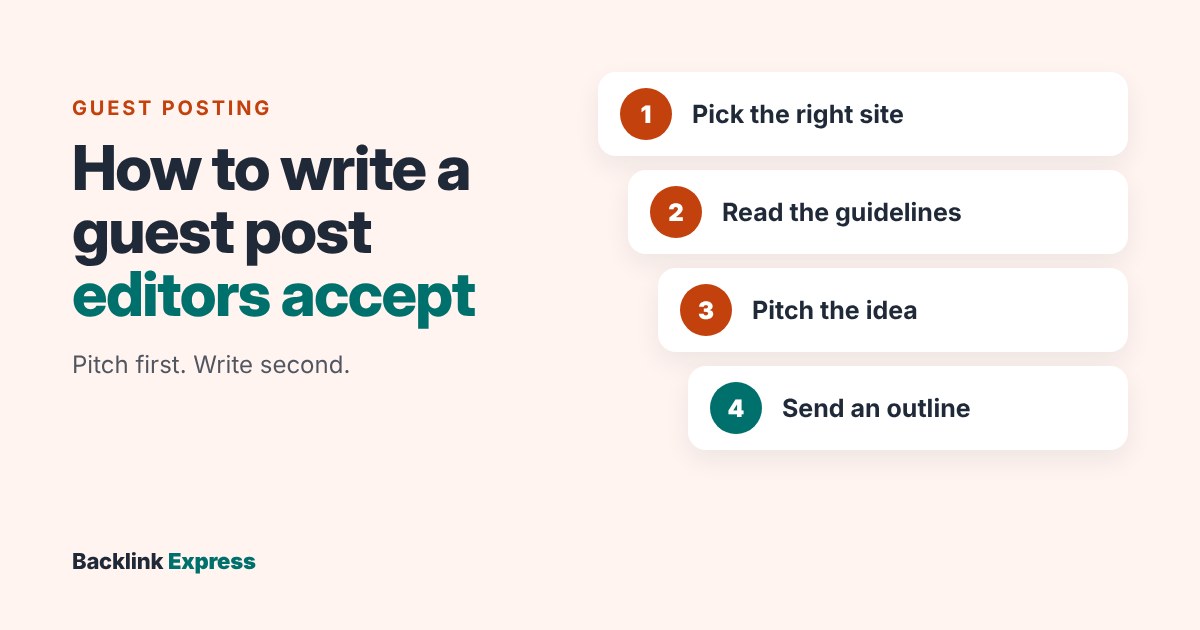
To write a guest post an editor accepts, pick a site whose readers need your topic, follow its guidelines to the letter, pitch a specific idea before you write, then deliver an article that serves the host’s audience with your one link in a short author bio. That is the whole job. Everything below is how to do each part well.
Here is my position after working in SEO and link building since 2012: most guest posts get rejected before the editor reads the second paragraph and the reason is almost never the writing. It is that the post was built around the writer’s link instead of the editor’s reader. Fix that order and your acceptance rate changes.
This is the pitch-to-publish process for writers and SEOs. If you are still deciding whether guest posting is worth your time, read our breakdown of guest blogging benefits and risks first.
What makes an editor say yes?
Every editor runs your submission through four questions, in this order. You do not need to guess at them. They are the same questions any publication answers before it puts its name on someone else’s words.
| The editor’s question | What a yes looks like | What gets you a no |
|---|---|---|
| Does it fit our readers? | A topic the site covers, at the depth its readers expect, that it has not already published | A generic topic, or one the site covered last month |
| Does it add something? | A method, example, data point or angle the reader cannot get from the site’s existing posts | A rewrite of what already ranks on Google |
| How much work is it to publish? | Matches the guidelines on length, format, images and links; clean copy; sources cited | Wrong length, missing images, broken links, heavy editing needed |
| Is it a risk to us? | One relevant link, plain anchor text, no hidden promotion | Several self-links, keyword-stuffed anchors, sales copy in the body |
That fourth question, Google’s rules on guest post links, is the one that quietly kills submissions from SEOs, because editors know what Google says about guest posts. Keep this table open while you work through the steps below. Each step answers one or more of these questions.
Step 1: Pick a site where your idea fills a gap
Start with the site, not the article. A great post pitched to the wrong publication is still a rejection.
- Find sites that publish contributors. Search your topic with phrases like “write for us”, “contributor guidelines” or “guest post guidelines”. Also check the bylines on sites you already read: if names other than staff appear, the site takes outside writers.
- Confirm the audience is yours. Read five recent posts. If their readers would not care about your expertise, move on, however strong the site looks.
- Check the site is real. Look at organic traffic in your SEO tool, how often it publishes and what it links to. You can get a quick authority read with our DR checker, but read our guide to DR and UR before you treat that number as a quality score. A high DR site that publishes anything for anyone is worth less to you than a smaller site with a real readership.
- Search for the gap. Run
site:theirdomain.com your topicon Google. If they already have a strong post on it, your pitch needs a narrower or newer angle, not the same article again.
Walk away from sites with a “write for us” page that accepts every topic, posts with no clear editor, or recent articles stuffed with unrelated outbound links. Those are link sellers dressed as blogs and a link there can hurt more than it helps.
Step 2: Read the guest post guidelines like a contract
Guest post guidelines are the editor telling you exactly how to get accepted. Most people skim them. Read every line, because each one maps to one of the editor’s four questions.
Take a real example. HubSpot’s guest blogging guidelines for its user blog (read 25 October 2026) ask for 500 to 1,500 words, original posts that cannot be republished elsewhere afterwards, no topics the blog has already covered, up to two links to your own content in the body, original images that inform rather than decorate, proper attribution for data and quotes and an outline in a Google Doc before the draft. HubSpot also reserves the right to edit your content as it sees fit.
Here is how to read lines like those:
| Guideline line | What it really means | What you do |
|---|---|---|
| Word count range | The editor has a format slot to fill | Land inside it. Do not send 3,000 words to a 1,500-word slot |
| Original, not published elsewhere | They want exclusive content and will check | Write it fresh for them; never repost it on your own blog afterwards unless they allow it |
| Topics already covered are excluded | Search their archive first | Run the site: search from Step 1 before you pitch |
| A cap on self-links (for example, up to two) | That is a ceiling, not a target | Use one if it genuinely helps the reader; zero is fine |
| Images must be original or informative | Stock photos create work for them | Send screenshots or diagrams you made, with alt text |
| Outline before draft | They want to steer early | Treat the outline as part of the pitch, not a formality |
| We may edit your content | Headlines, links and paragraphs can change | Accept edits gracefully; argue only about factual errors |
| No mention of links at all | Assume the editor decides link handling | Ask before you include any self-link in the body |
If a site has no guidelines page, ask the editor for them in your first email. That one question tells them you plan to make their job easier.
Step 3: Pitch the idea, not the draft
Do not write the article first unless the guidelines ask for a finished draft. A pitch lets the editor shape the piece and it saves you from writing 1,500 words they cannot use.
A pitch that gets read has five parts:
- A subject line with the working title. “Guest post idea: [specific title]” beats “Collaboration opportunity” every time.
- One line proving you read the site. Name a recent post and what it left open. This is the gap from Step 1.
- Two or three specific titles, each with one sentence on what the reader will be able to do afterwards.
- One line on why you can write it. Your role, or the work that taught you this.
- One or two links to published samples, ideally on similar sites.
Keep it short enough to read on a phone. Leave out the link you want. If the editor asks what you hope to get from the piece, answer honestly: a byline and a bio link.
If you are sending pitches at volume and getting silence, that is an outreach problem, not a writing problem. Our guide on getting more responses from outreach covers follow-up timing, personalisation and list building.
Step 4: Send an outline before you write
Once the editor says yes to an idea, send an outline before the draft, even if they did not ask. It costs you thirty minutes and it is the cheapest point to fix a mismatch.
A useful outline shows:
- The final working title and the one problem the post solves
- Every H2 heading, in the order you plan to use them
- One line under each heading on what it will say, plus the example or evidence you will use
- Which of the host’s own posts you plan to link to
- The word count you are aiming for
Editors change outlines. Let them. An outline they shaped is a draft they want to publish.
Step 5: Write for the host’s audience, not your funnel
The draft has one job: be the best post on that site about that topic, for that site’s readers. Your business should be invisible in the body unless the editor invited a case study.
Match the house style
Copy the site’s habits, not its sentences. Look at how its best recent posts open, how long the paragraphs run, whether it uses H3s, tables, screenshots or numbered steps and whether it writes “you” or “we”. A post that already looks like theirs needs less editing and that answers the editor’s third question.
Bring something the site does not have
Generic advice is the most common reason a draft dies after the pitch was accepted. Give the reader something they cannot get from the site’s archive or from the top Google results: a worked example from your own work, a checklist you actually use, a screenshot of a real process, a comparison table, or a clear opinion you can defend. If you cannot name what is new in your draft, the editor will not be able to either.
Cite, link out and link in
Cite the original source for every statistic and claim, not a roundup that quoted it. Link to two or three of the host’s own relevant posts. Editors notice when a contributor sends readers deeper into their site and it is genuinely useful to the reader.
Edit before they have to
Read it aloud. Cut the warm-up paragraph. Check every link works. Make sure the draft delivers exactly what the approved outline promised, at the agreed length, in the format they asked for (usually a Google Doc), with images named and alt text written.
Step 6: Write the author bio and place your link
Your bio is where your link belongs. In-body self-links are the exception, used only when the guidelines allow them and the link is the best resource for the sentence it sits in.
A bio that works is two or three sentences:
- Your name and role, with the company if it is relevant.
- The specific expertise that qualifies you to write this post.
- One link to your site, a useful resource page or your author profile.
Use your brand name or your own name as the anchor text. Google’s spam policies list “links with optimized anchor text in articles, guest posts, or press releases distributed on other sites” as an example of link spam (Google Search Central, last updated 28 August 2026). A bio that links the words best project management software to your product page is exactly what that sentence describes and editors know it. Our anchor text guide covers what natural anchors look like.
What rel attribute will the host put on your link?
The host decides and you should expect it to vary. Google’s guidance on qualifying outbound links (last updated 10 December 2025) says paid placements should be marked rel="sponsored", user-generated content rel="ugc" and rel="nofollow" used when the other values do not apply. Google’s spam policy adds that paid links are not a violation “as long as they are qualified” with nofollow or sponsored.
| Situation | What the host may apply | What it means for you |
|---|---|---|
| Unpaid editorial guest post, link in bio | A plain link, or nofollow by site policy | Both are normal. Many publishers nofollow all contributor links as a rule |
| You paid a fee for the placement | rel="sponsored" (or nofollow) |
That is what Google asks for. The link can still bring traffic and visibility |
| The post appears in a community or contributor section open to anyone | rel="ugc" or nofollow |
Treat it as exposure, not a ranking link |
| An exact-match anchor in the body | Often removed or rewritten by the editor | Do not include it in the first place |
Never ask an editor to remove a sponsored or nofollow attribute. It puts them in the position of breaking Google’s rules for you and good editors will drop you for asking. If you want the full picture of how these attributes are treated, read our guide to dofollow and nofollow links.
After publication: the first 30 days
Most writers disappear the day the post goes live. That is a waste, because what you do next decides whether the editor wants you back.
- Check the live post. Confirm your bio, your link and its rel attribute and that every link in the article works. Note the date.
- Share it. Send it to your newsletter and post it on the channels where your audience is. Tag the publication. The editor will see the traffic.
- Reply to comments on the post and on social for the first week or two.
- Thank the editor with one line and only then mention you have another idea if you do.
- Track it. Watch referral traffic from the host in your analytics and check after a few weeks that the post is indexed and your link is still in place.
- Do not republish it on your own site or on Medium unless the guidelines explicitly allow it and if they do, ask how they want it credited.
Can you see an example of a guest post?
Here is a sample of the whole process, written as a template you can adapt, so you can see how the pieces connect.
The writer: an in-house SEO at a project management software company. The site: a marketing operations blog whose readers are agency owners. It already has a post on choosing project tools, but nothing on running client SEO reporting inside one.
The pitch: “Your post on picking a project tool for agencies ends where the hard part starts: running the work. I would like to write ‘How to run monthly SEO reporting for 20 clients without a reporting tool’, a step-by-step process with the checklist and template we use. About 1,200 words, to your guidelines.”
The outline: why monthly reporting breaks at 10+ clients; the five numbers every report needs; the checklist; the template; the three mistakes that make clients stop reading. Two links to the host’s own posts on client retention.
The bio: “[Name] leads SEO at [Company], where she manages organic growth for the product and its template library. She writes about workflow for agency teams at [Company blog].” The link anchor is the company name.
Notice what is missing: no product pitch in the body, no keyword anchor, no second self-link. That is why it gets a yes.
Mistakes that get guest posts rejected
- Sending a finished draft cold to a site that asks for pitches.
- Pitching a topic the site already covered, which proves you did not look.
- A generic pitch that could have been sent to a hundred sites, because it was.
- Writing past the word count or ignoring the format the site uses.
- Self-promotion in the body: product mentions, several links to your site, a sales CTA in the conclusion.
- Keyword-rich anchor text in the bio or body.
- Unsourced statistics, or stats quoted from a roundup instead of the original source.
- Submitting the same article to several sites when exclusivity is required.
- Disappearing after the edit request, or arguing with style changes.
Every one of these fails one of the four questions from the top of this guide. Run your draft through that table before you hit send.
Is writing guest posts still worth it in 2026?
Yes, when the goal is reaching a real audience and building a byline in your field and when the link is a bonus the editor chooses to give. It is not worth it as a volume link play: Google’s spam policies name optimized anchor text in guest posts as link spam and editors at good sites screen for it. The guest blogging benefits guide linked at the top covers the trade-offs in detail.
If you would rather skip the prospecting and pitching for some placements, a marketplace lists publisher sites with their traffic and price up front, you choose the site and the publisher’s editor still decides what goes live, with the link marked as Google asks. Browse vetted publishers on Backlink Express.