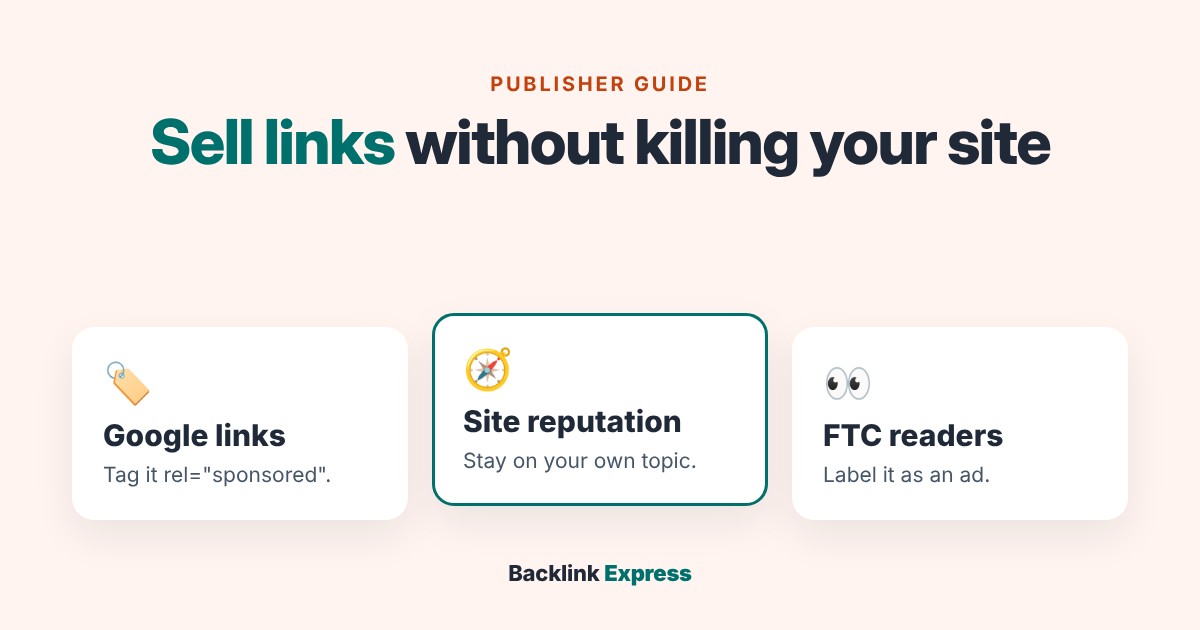
You can sell links from your site and keep your rankings, but only if you follow three separate rules, and most guides on selling links only tell you about one. The rel="sponsored" tag covers Google’s link spam policy. It does nothing for Google’s site reputation policy or for the FTC’s rule that readers must be able to tell an ad is an ad.
After working in SEO and link building since 2012, my position is simple: sell editorial space on topics you already cover, tag and label every paid link, and refuse the rest. The real risk is running a side business your readers never asked for.
What you can sell, and where to sell it
The basics are settled. There are three products, three sales channels and a short list of house rules.
| Product | What the buyer gets | What it costs you |
|---|---|---|
| Guest post | A new article on your site with a link in it | Editing time and a slot in your publishing calendar |
| Link insertion (niche edit) | A link added to a page that is already live | A change to a page that already earns traffic |
| Sponsored post | A brand-focused article, written by you or the buyer | The most reader attention, and the clearest need for a label |
Link insertions usually sell for more because the page already has age and traffic. That is also why they carry more risk for you: you are changing a page your readers already trust. Our guide to niche edits covers that trade-off from the buyer’s side.
You find buyers in three ways: a marketplace that lists your site with its traffic and price, agencies that place links for clients, or a “work with us” page where buyers contact you directly. Marketplaces bring volume. Direct deals keep the full fee but cost you time on every email.
The house rules every serious guide agrees on:
- Only accept topics your site already covers.
- Read and edit every piece before it goes live. You can reject it.
- Keep outbound links per post low, so the paid link isn’t one of a dozen.
- Keep your own content as the bulk of what you publish.
Buyers check your site with third-party metrics like Ahrefs DR or Moz DA. Google doesn’t use either one, but buyers price you by them, so know yours. Here is what DR and UR actually measure.
What are paid links?
A paid link is any link you place because someone gave you money, goods or services for it. Google’s spam policies list “exchanging money for links, or posts that contain links” as link spam, unless the link is qualified. Paid links for advertising or sponsorship are fine when they carry rel="sponsored" or rel="nofollow".
Here is an example of a qualified paid link in your HTML:
<a href="https://example.com/tool" rel="sponsored">project management tool</a>
Google’s guide to qualifying outbound links recommends sponsored for ads and paid placements; nofollow is also accepted. Google has also been explicit that it is looking at sellers, not only buyers. Its December 2022 link spam update said SpamBrain “can now detect both sites buying links, and sites used for the purpose of passing outgoing links”.
So be honest with yourself about what you are selling. If a buyer insists on an unqualified link, they are asking you to carry the risk of breaking Google’s policy. Price and decide with that in mind.
Can you earn money selling links, and how much do paid backlinks cost?
Yes. Most placements sell in the low hundreds of dollars, and buyers push back hard once you go much past $200. Here is what the public data says buyers pay:
| Source | What it measured | Figure |
|---|---|---|
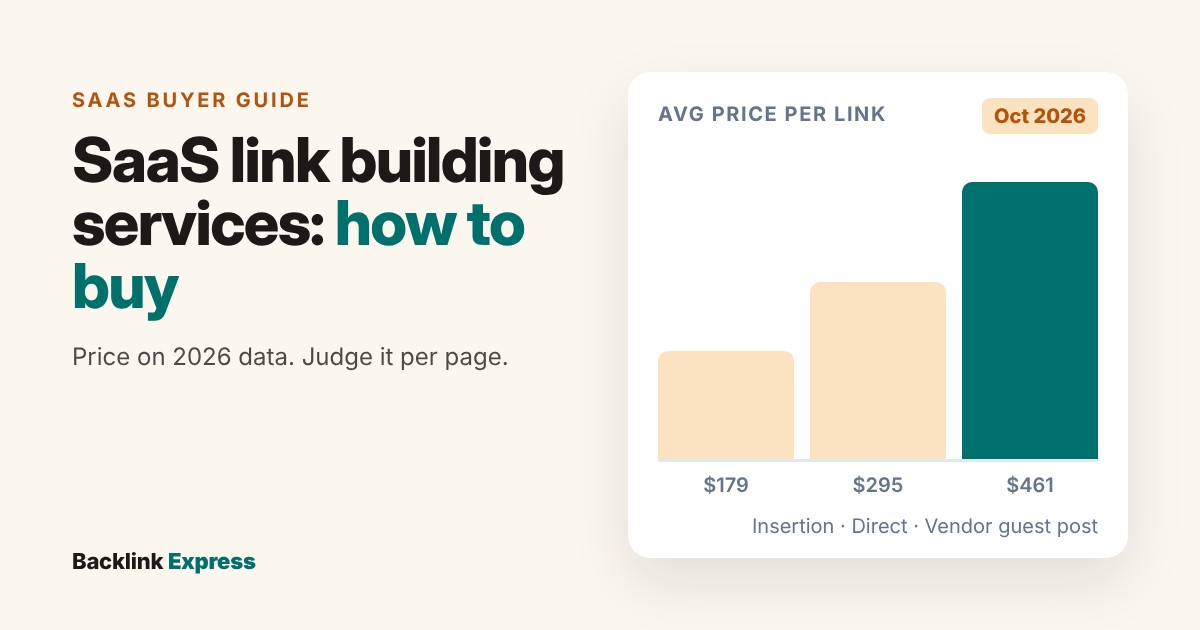
| BuzzStream (pricing checked Oct 2026) | Average link insertion, 62,916 sites | $179 |
| BuzzStream (pricing checked Oct 2026) | Average guest post, bought direct vs via a vendor, 257,267 sites | $295 direct, $461 via vendor |
| Backlink Outreach Agency 2026 dataset | Median price asked vs paid, 526 placements | $170 asked, $150 paid |
| Backlink Outreach Agency 2026 dataset | Finance sites, median asked vs paid | $350 asked, $318 paid |
| Ahrefs study (published Nov 2022) | Average quoted price: niche edit / paid guest post | $361.44 / $77.80 |
Three things stand out for a seller. Buyers pay less than sellers ask, so the ask is an opening number. Acceptance drops past roughly $200 in the Backlink Outreach Agency data, so a general site asking $400 sits unsold. And the gap between $295 direct and $461 via a vendor is the reseller’s cut, which is why listing your own site where buyers can see it matters.
Hypothetical example: a general blog that sells four placements a month at the $150 median paid price earns $600 a month before tax and editing time. Niche matters more than size. Finance sites in the same dataset closed at a $318 median, more than twice the overall figure. For the full cost picture from the buyer’s side, see our link building pricing breakdown.
What most guides on selling links miss
The top-ranking guides on selling links all talk about tags, niches and prices. None of them covers the three rules below, and these are the rules that decide whether selling links hurts your site.
1. The sponsored tag doesn’t protect you from Google’s site reputation policy
Google’s site reputation policy is a separate rule from link spam. It applies when third-party content is published on your site “mainly because of that host’s already-established ranking signals”. Your link attributes don’t matter here. A perfectly tagged guest post can still break this rule if it exists only to borrow your rankings.
Google’s own examples read like a link seller’s order book: an educational site hosting sponsored payday loan reviews, and a medical site hosting a low-quality “best casinos” page that isn’t integrated with the site. Google says having third-party content is fine on its own. Advertorials written for your readers are fine too. The test is purpose and fit.
The rule has moved twice, and most sellers missed both. In November 2024, Google said “no amount of first-party involvement” changes the third-party nature of that content. On 28 August 2026 it rewrote the guidance. A human review now asks whether the content has “sufficient input, editorial oversight, or contribution from the host site” to be fully integrated. Reviewers look at design, quality, stated authorship and whether the same content appears on other sites. Enforcement changed too, from 30 August: outside the European Economic Area, a manual action hits search results for the affected section of the site, while the rest of the site isn’t affected. Inside the EEA, that section may be separated so it ranks on its own.
For a seller, that is a clear instruction. A paid post that looks, reads and is owned like the rest of your site is on the right side of the review. A bolted-on page that only exists for the link is not.
What to do differently:
- Refuse any order outside the topics your site already ranks for, however well it pays.
- Don’t build a “partners” or “resources” section that exists only to host paid posts and doesn’t look or read like the rest of your site.
- Edit paid posts to your own standard: same design, same quality bar, a named author you stand behind, written for your readers.
- Refuse content the buyer is placing on other sites word for word. Google’s reviewers check whether identical or near-identical content appears elsewhere.
2. Google’s tag is invisible to your readers, and the FTC cares about readers
rel="sponsored" lives in your HTML. No reader ever sees it. The FTC’s native advertising guide for businesses is about what readers see, and none of the top guides mention it.
The guide says terms likely to be understood include “Ad,” “Advertisement,” “Paid Advertisement” and “Sponsored Advertising Content”. It calls “Promoted” or “Promoted Stories” “at best ambiguous”, and it warns that “Sponsored by [X]” can suggest the sponsor paid for the content without shaping it. It tells advertisers to place disclosures in front of or above the headline. It also says that everyone who takes part in creating or presenting a native ad should make sure it doesn’t mislead people about being an ad.
What to do differently:
- Put a plain label such as “Sponsored” or “Paid advertisement” above the headline of every sponsored post, not in the footer.
- For a link inserted into an existing article, add a short note close to the link that says it is a paid placement.
- Write this into your listing so buyers know before they pay. UK readers fall under the ASA’s CAP Code, which also requires ads to be obviously identifiable.
Some buyers will walk away from a labelled post. That tells you what they were really buying.
3. If a manual action lands, the fix is all or nothing
Several top guides warn about “penalties”. None of them tells you what one looks like or how to get out of it. For a seller, it shows up in Search Console’s Manual actions report as “Unnatural links from your site”, which Google describes as a pattern of “unnatural artificial, deceptive, or manipulative outbound links”.
Google’s fix list is short. Identify the links that were paid for. Remove them, or change them so they no longer pass PageRank, for example with rel="nofollow". Then select Request Review in the report. Two lines matter most for a seller:
- “Fixing the issue on just some pages will not earn you a partial return to search results.” You fix every paid link or nothing changes.
- “Most reconsideration reviews can take several days or weeks,” and you shouldn’t resubmit while one is pending.
What to do differently: keep a placement log from your first sale. Record the URL, anchor, buyer, date, price and the rel attribute you used. If you ever need a reconsideration request, the log is your evidence, and finding every paid link takes minutes instead of a week of digging through old posts.
My verdict
Sell links if your site has real traffic in a clear niche and you are willing to act as an editor, not a landlord. Price from what buyers pay, not from what sellers ask. Tag every paid link rel="sponsored", label it for readers, and turn down anything off your topic. That covers all three rules.
Don’t sell if your traffic is thin, if the money would push you to accept topics you don’t cover, or if the plan only works with untagged links. Buyers compare sites on traffic and fit too. Our guide to buying backlinks without getting burned shows what the careful ones check, and the sites that pass those checks are the ones that keep selling.
Backlink Express is a marketplace: buyers pick a listed site, and your editor decides what goes live. If your site fits, List your site on Backlink Express.