Last updated: 13 November 2026
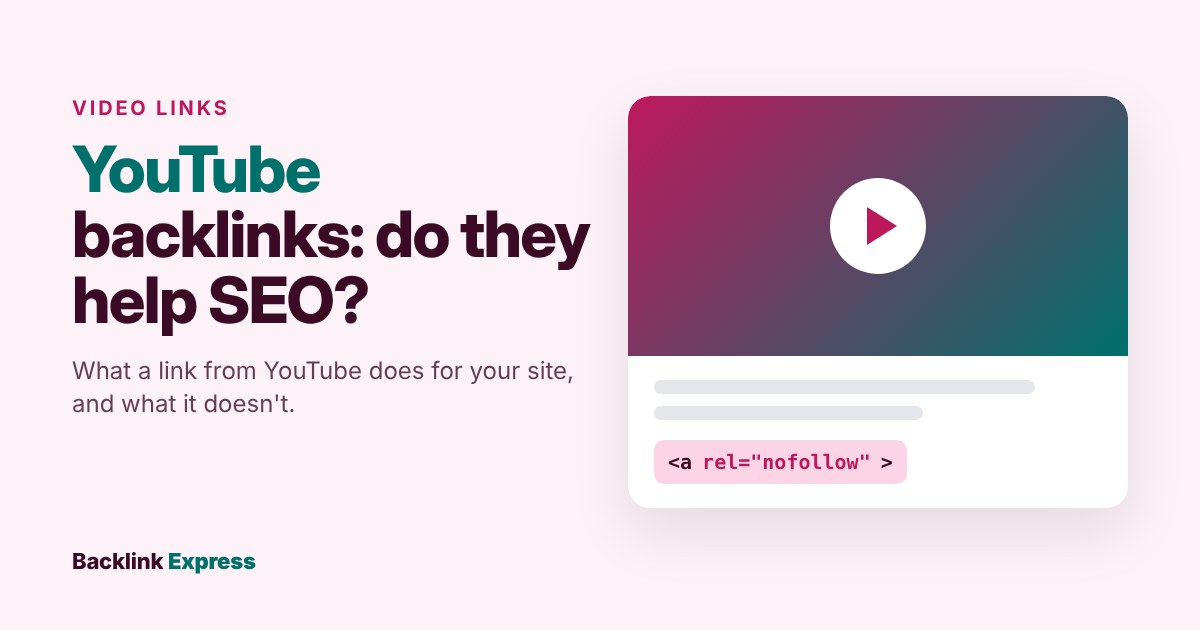
YouTube backlinks help SEO in one direction only. Links from real websites to your video help that video rank in Google, but the link in your video description passes no ranking credit to your site: YouTube marks it rel="nofollow" and routes it through its own redirect URL.
That is our position after working in SEO and link building since 2012: a YouTube description link is a traffic link, not a ranking link. Treat it as one and you stop paying for “YouTube backlink” generators. Below you will find what each kind of YouTube link actually does, how to check backlinks pointing to a video, how to check links from YouTube to your site and how to earn the links that matter.
What is a YouTube backlink?
“YouTube backlink” means two different things and they are easy to blur. Split them before you spend an hour on either.
- Links from YouTube to your site. The URL in your video description, your channel links, a comment. These sit on youtube.com and point outward.
- Links to your YouTube video. A blog post, news article or resource page on another site that links to (or embeds) your watch URL. These are backlinks in the normal sense: another site pointing at a page and the page happens to be a video.
A backlink itself is simple: an <a href> tag on one site that points to a URL on another. If you need the fundamentals first, read our guide to what backlinks are and how Google uses them. The rest of this article is about why those two directions behave so differently.
Do YouTube backlinks help SEO?
Yes for links pointing to your video. Mostly no for links from YouTube to your website. Here is the evidence for each.
Links from YouTube to your site: nofollow and redirected
On 24 October 2026 we opened a live YouTube watch page in Chrome and inspected the links in its description. Every external link in the description had two properties:
- The
hrefdid not point to the destination site. It pointed toyoutube.com/redirect, with the real destination passed as a parameter. - The anchor carried
rel="nofollow".
The external link buttons in the channel header on the same page also went through youtube.com/redirect. So the page links to a YouTube URL and that URL sends the visitor on to you.
Nofollow is not a black hole. Since 2019 Google treats nofollow, ugc and sponsored as hints. Its announcement of the change says all three attributes “are treated as hints about which links to consider or exclude within Search.” A hint means Google may still use the link for discovery or understanding. It does not mean you get the credit an editorial link from a strong site would give you. Plan on zero ranking value and count anything else as a bonus. Our guide to dofollow and nofollow links covers how the attributes work in detail.
Shorts are weaker still. YouTube announced that from 31 August 2023 links in Shorts descriptions and Shorts comments would stop being clickable. A URL that cannot be clicked sends no visitors at all.
Links to your YouTube video: ordinary backlinks
A watch page such as youtube.com/watch?v=VIDEO_ID is a URL like any other. When a relevant site links to it, that is a backlink to that URL and Google’s link systems can read it. Google’s own guide to its ranking systems says it uses link analysis systems “to determine what pages are about and which might be most helpful in response to a query,” and that PageRank “continues to be part of our core ranking systems.”
That also answers whether backlinks are still relevant in 2026: Google still lists them as part of its core ranking systems.
The Google AI Overview for this keyword says backlinks help a video in Google “because Google owns YouTube.” Ownership has nothing to do with it. Links help a watch page for the same reason they help any page: other sites point at it. Google publishes no special rule for youtube.com.
Inside YouTube itself, backlinks are not a listed factor
YouTube’s Help page on how its search works names three elements it prioritises: relevance, engagement and quality. External links and backlinks are not mentioned. A link from a blog can still send viewers who watch, like and subscribe and those actions are what YouTube describes measuring. The link is the route; the viewers are the signal.
What each YouTube link actually does
Here is the practical summary. Rows marked “inspected” are what we saw on a live page on 24 October 2026. YouTube changes its front end often, so recheck before you rely on any row.
| Link location | How it is coded | Ranking value for your site | What it is good for |
|---|---|---|---|
| Long-form video description | Points to youtube.com/redirect, rel="nofollow" (inspected) |
Treat as none | Referral traffic from engaged viewers, conversions you can track |
| Channel header links | Point to youtube.com/redirect (inspected) | Treat as none | Sends channel visitors to your site, ties the channel to your brand |
| Shorts description and Shorts comments | Not clickable since 31 August 2023 (YouTube announcement) | None | Brand mention only |
| Another site linking to your watch URL | A normal link on that site; follow or nofollow is the publisher’s choice | Helps the video URL, not your domain | Video rankings in Google, referral views |
| Another site embedding your video | An iframe player, plus any link the publisher adds | Depends on whether a real link sits next to the embed | Views that show up as External traffic in YouTube Studio |
What YouTube links are good for
Nofollow does not make a description link useless. It changes what you measure.
- Referral traffic. Someone who watched eight minutes of your tutorial and then clicked through is a warm visitor. That click can turn into a signup, a sale or a newsletter subscriber.
- Brand and entity consistency. Google’s Organization structured data documentation lets you list profile pages on other sites, such as a social profile, in the
sameAsproperty. Adding your channel there and linking your site from your channel keeps the two connected. That is about making the connection clear, not about ranking credit and Google does not promise a ranking effect from it. - Discovery of the destination page. Because Google treats nofollow as a hint, a linked URL may still be found. Do not build a plan around this; your sitemap and internal links do this job better.
One claim we will not repeat: that YouTube links build a “natural” or “diverse” link profile that Google rewards. We found no Google source for it. If a vendor uses that line to sell you YouTube links, ask for the source.
How to check backlinks pointing to a YouTube video
This is the check most people mean when they search for it. You want the list of external pages linking to one video.
- Copy the canonical watch URL. Use the full
https://www.youtube.com/watch?v=VIDEO_IDform. Strip timestamps and tracking parameters. Short links (youtu.be) and Shorts URLs may be counted as separate URLs, so check them too if people share them. - Run it in a backlink tool in exact URL mode. In Ahrefs Site Explorer or Semrush Backlink Analytics, paste the URL and set the scope to the exact URL, not the domain or subfolder. If you pick domain mode, you get the backlink profile of all of youtube.com, which is useless.
- Filter the results. Group by referring domain, then check each domain’s relevance, traffic and link attribute. Third-party scores such as DR are tool estimates, not Google metrics; our explainer on DR and UR covers how far to trust them.
- Check embeds in YouTube Studio. If you own the video, open YouTube Studio, select Content, choose the video, open Analytics and select the Reach tab. The “External sites or app” card lists the websites and apps that embed or link to the video and sent views. YouTube’s Help page on video reach defines External traffic as traffic “from websites and apps that have your YouTube video embedded or linked to.”
- Compare the two lists. The tool shows links that exist whether or not anyone clicks. Studio shows sites that actually sent views, including embeds the tools may miss. A domain on both lists is your best link. A domain that sends views but has no crawled link is often an embed without a text link and a good outreach target for adding one.
Two limits to know. No backlink tool crawls the whole web, so their counts differ; use one tool consistently for trend checks. And Google Search Console cannot show links to your video, because you cannot verify youtube.com as your property.
What about free “YouTube backlink checker” tools?
Several free tools rank for this keyword. Before you trust one, check two things: where its link data comes from and whether it separates real links from social shares. A number that mixes shares and links is a popularity signal, not a backlink count. If a tool will not say where its data comes from, use one that does.
How to check links from YouTube to your website
The reverse check answers a different question: is YouTube sending you anything?
- Search Console Links report. Open Links in your verified property and look at Top linking sites. Google’s Links report documentation warns that the report shows “a sample” of links, includes links that may since have been removed and “doesn’t specify if a link is marked as nofollow.” So seeing youtube.com there, or not seeing it, proves nothing about ranking value. Because description links point to a YouTube redirect, do not expect a neat list of your videos.
- Analytics referral data. This is the honest measure. Add UTM parameters to the URL in each description (for example
utm_source=youtube&utm_medium=video&utm_campaign=video-slug), then read sessions and conversions for that campaign in your analytics tool. Now you know which video sends buyers and which sends nobody. - Backlink tools on your own domain. Run your domain and filter referring domains for youtube.com. Expect few or none and expect nofollow where they appear.
Do YouTube backlink generators work?
No and they carry risk. You paste a video URL, press a button and an automated system returns a batch of links. “YouTube backlink generator” services typically do not name the sites the links sit on or say whether they are followed, yet promise faster rankings. Google’s spam policies list “using automated programs or services to create links to your site” as an example of link spam. If a tool cannot tell you where your links live, you cannot judge their quality and you cannot expect real viewers from them either.
The same goes for anyone selling “YouTube backlinks” by the thousand. Buying or selling links for ranking purposes is also on Google’s link spam list unless the links are qualified with rel="nofollow" or rel="sponsored". We cover the wider set of trade-offs in the SEO risks worth taking and the ones to avoid.
And if you are wondering about a “YouTube video SEO score”: there is no official one. Scores from browser extensions and checkers are each vendor’s own formula, like DR. Use them as a checklist, not a verdict.
How to get backlinks to your YouTube video the right way
Earned links to a video come from the same place as earned links to an article: a page that is genuinely useful to someone else’s readers. These are the methods we would use.
- Embed the video in a matching article on your own site. Write a text version, add the embed and link to the watch URL. Your page can rank for the topic and the video gets an embed and a link from a site you control.
- Pitch it to resource pages and roundups. Tutorials, demos and data walkthroughs get added to “best resources” pages when they save the reader time. Find pages that already link to weaker videos on the topic and show yours.
- Use guest posts and podcast appearances. When you write for another site, a relevant video can support a point in the body. Podcast show notes can link to a relevant video. Keep it editorial: the publisher’s editor decides.
- Collaborate with other creators and sites. A creator who covers the same topic can embed or reference your video where it adds something their audience needs.
- Turn the video into quotable assets. Original data, a clear diagram or a step-by-step demo gives journalists and bloggers something to cite.
Most of the time, though, the better business move is to earn links to the page on your own site that embeds the video. A link to your domain builds your site’s authority; a link to the watch URL builds YouTube’s page. Our guide to strategies for creating backlinks covers how to earn links to your own pages.
Common mistakes with YouTube backlinks
- Counting description links as backlinks in reports. They are nofollowed redirects. Report them as traffic sources.
- Checking backlinks in domain mode. You get youtube.com’s profile, not your video’s.
- Putting links in Shorts descriptions. They have not been clickable since August 2023. Use the long-form description or your channel links instead.
- Linking without UTM tags. Without them you cannot tell which video sends the visitors who convert.
- Buying bulk “YouTube backlinks”. Automated and bought links for ranking are on Google’s spam list and they rarely bring real viewers.
The short version: put a tracked link in every long-form description for traffic, earn real links to the page on your site that embeds the video and stop paying for anything sold as a YouTube backlink. If you need editorial placements on relevant sites to support that page, browse vetted publishers on Backlink Express; each listing shows the site, its traffic and the price and the publisher’s editor decides what goes live.