Last updated: 13 November 2026
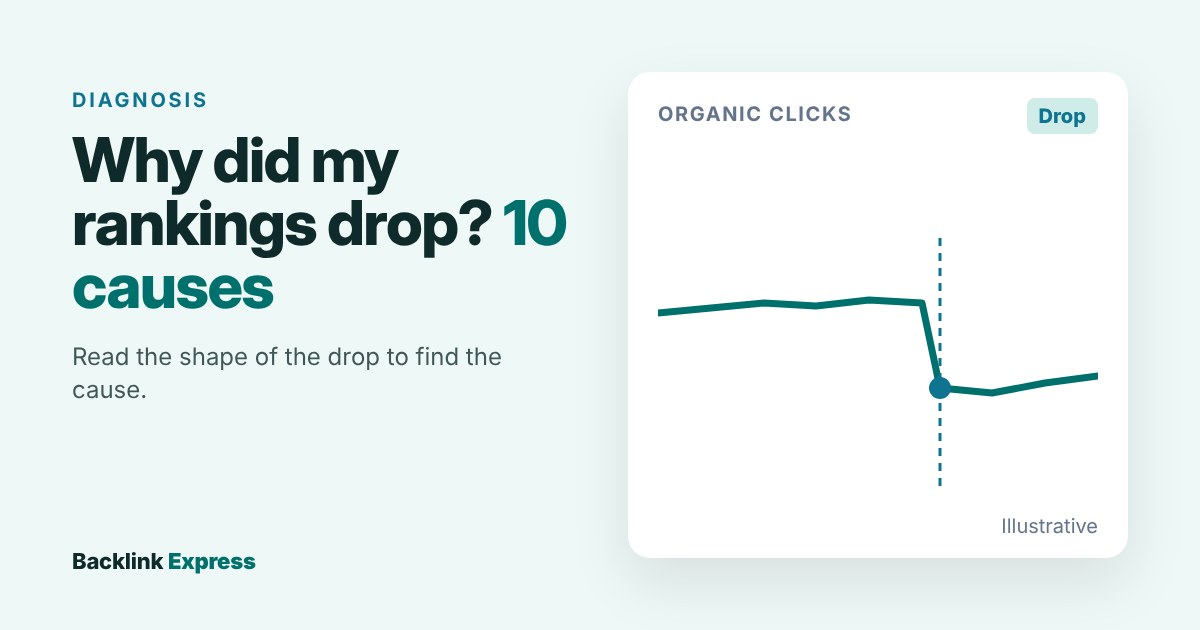
Your rankings usually drop for one of ten reasons: a Google core update, a spam update, a manual action, an indexing block, a botched migration, a change you made, stronger competitors, a shift in the results page, lost backlinks, or falling demand. The shape of the drop (when it started, how fast and which pages it hit) tells you which one.
Here is my position after working in SEO and link building since 2012: most drops are not penalties and almost none are fixed by buying more links in a panic. Diagnose first. The fix depends entirely on the cause and the wrong fix can make a recoverable drop permanent.
Below: how to confirm the drop is real, the ten causes with the check and the fix for each, a pattern table that maps the shape of your drop to its likely cause, realistic recovery times and what not to do while you investigate.
First, is it a real ranking drop?
Before you touch the site, prove the drop exists in Google’s own data. Third-party rank trackers sample one location, one device and one moment. Google Search Console shows what actually happened.
- Compare periods in Search Console. Open Performance, then Search results and use the Compare tab: last 3 months against the previous period and against the same period last year. Google recommends exactly this in its guide to debugging drops in Google Search traffic.
- Read clicks, impressions and position separately. If impressions and position held but clicks fell, you did not lose rankings. You lost click-through, which is a different problem (cause 8).
- Do not trust average position alone. It is averaged across every query you appear for. If you start showing up at position 40 for hundreds of new long-tail queries, your average position gets worse while your traffic grows.
- Check for a reporting glitch. Search Console publishes a data anomalies page. A sudden cliff that matches a logged anomaly is a reporting issue, not a ranking loss.
- Segment the drop. Filter by page, query, country, device and search appearance. “Everything fell” and “one folder fell on mobile in the US” point to very different causes.
Write down the exact start date and the affected pages. You will need both for every check below.
The 10 causes of a rankings drop and how to confirm each
The causes are ordered roughly by how often they explain a sudden, site-wide fall. For each one: what it looks like, how to check and what to do.
1. A Google core update reassessed your site
What it looks like: a drop that starts during a confirmed core update rollout and hits many pages at once, often concentrated in one content type.
How to check: compare your start date with the Google Search Status Dashboard. In 2026 it lists a March core update (from 27 March, about 12 days), a May core update (from 21 May, about 12 days) and a November core update (from 10 November; Google says the rollout may take up to two weeks). Timing alone does not prove cause, but a drop that begins inside a rollout window is a strong signal.
What to do: wait. Google’s core update guidance recommends waiting at least a full week after an update completes before analysing Search Console and says core updates do not target specific sites. Then compare your losing pages with the pages that now outrank you, query by query. Improve usefulness, depth and first-hand value. Do not rewrite the whole site in one go.
2. A spam update devalued your pages or your links
What it looks like: a drop during a spam update window. 2026 has had four: March (24 March, under a day), June (24 June, about 2 days), August (18 August, about 3 days) and September (from 24 September, 13 days and 16 hours).
How to check: read Google’s spam policies honestly against your own site. The usual suspects: scaled low-value content, site reputation abuse (third-party pages riding your domain), expired domain abuse and link spam. If a large share of your links were paid or exchanged without the right attributes, a spam update can simply stop counting them. You lose the ranking those links were propping up, with no message in Search Console.
What to do: remove or fix the content that breaks policy. For links, paid placements should carry rel="sponsored", as our guide to dofollow, nofollow and sponsored links explains. Google says recovery from spam updates can take months once the site complies. If you bought links from networks that hide their site lists, stop now.
3. A manual action or a security issue
What it looks like: a sharp fall, sometimes on brand queries too, or pages disappearing from the index. Hacked sites often show spam pages you never published.
How to check: open the Manual actions and Security issues reports in Search Console. Unlike algorithmic drops, manual actions are always reported there, with the reason.
What to do: fix every issue named in the report across the whole site, document what you changed and submit a reconsideration request. For hacks, clean the site, close the hole and request a review. This is the one cause where a disavow file is clearly appropriate, if the action is for unnatural links you cannot get removed.
4. Google can no longer crawl or index the pages
What it looks like: pages drop out completely rather than sliding a few positions, often right after a deploy, plugin update or CMS change.
How to check: run URL Inspection on a lost page. Look for a stray noindex tag, a robots.txt rule blocking the path, a canonical pointing to another URL, 4xx or 5xx status codes, or content that only appears after JavaScript runs. Then check the Page indexing and Crawl stats reports for spikes in errors. If the difference between crawled and indexed is fuzzy, read crawling vs indexing first.
What to do: fix the block, then request indexing for the most important URLs. This is the fastest cause to recover from, because nothing is wrong with the page itself.
5. A migration, redesign or HTTPS move went wrong
What it looks like: a drop that starts within days of a domain move, URL restructure, new theme, or switch from HTTP to HTTPS.
How to check: crawl the old URLs and confirm each one returns a single 301 to its exact new equivalent, not to the homepage and not through a chain. Check that canonicals, hreflang, sitemaps and internal links all use the new URLs. For HTTPS, look for mixed content warnings, redirect loops between HTTP and HTTPS and an expired or misconfigured certificate. An expired certificate puts a full-page browser warning in front of every visitor.
What to do: fix the redirect map first; it does the most damage. Some fluctuation is normal. Google says a medium-sized site can take a few weeks for Google to notice the change and larger sites longer. HTTPS itself is worth keeping: Google has called it a lightweight ranking signal since 2014 and browsers label HTTP pages as not secure. It is rarely the reason you fell. A broken move to HTTPS often is.
6. You changed something on the pages that ranked
What it looks like: one page or one template drops shortly after an edit.
How to check: compare the current page with an archived version. Common culprits: a rewritten title that dropped the main term, a “refresh” that cut the section answering the query, merged pages, deleted pages that still had links and navigation changes that removed internal links to key pages.
What to do: if the old version clearly served the query better, restore the lost parts. Change one thing at a time so you can see what worked.
7. Competitors published something better
What it looks like: a slow slide on specific queries while the rest of the site holds. New URLs appear above you.
How to check: search your lost queries and read the pages that now beat you. Are they fresher, more specific, better structured, or backed by real experience you lack? Content decays: statistics date, screenshots age and the question readers ask moves on.
What to do: update the page to beat today’s winners on substance, not word count. Add what they miss. Then decide if the page also needs more authority (cause 9).
8. The results page changed, not your position
What it looks like: position is flat or only slightly lower, but clicks fell. Or you dropped because Google now shows videos, forum threads, products or local results for the query.
How to check: look at the live results page for your top queries. Is there an AI Overview, a video block, a Reddit thread or a shopping unit above you? AI summaries matter: a Pew Research Center study of 900 US adults’ browsing in March 2025 found users clicked a traditional result in 8% of visits when an AI summary appeared, against 15% when none did.
What to do: this is why ranking first is no longer enough. Match the format Google now rewards for the query, answer the core question in plain, quotable sentences early on the page and build brand mentions on sites AI answers cite. Measure clicks and conversions, not just position.
9. You lost backlinks that were carrying the page
What it looks like: a gradual decline on pages that ranked mainly on links, with no on-page change.
How to check: pull lost referring domains for the affected URLs in any backlink tool. Look for a few strong lost links rather than many weak ones: an editorial link removed in a site redesign, a resource page deleted, a partner page gone.
What to do: ask for reinstatement where the page still exists and point redirected or 404 targets on your side back to live URLs. Then earn replacements from relevant sites with real readers. If you buy placements, judge sites by traffic and topic fit, not by a single authority score and avoid the risks that can turn a link into a liability.
10. Demand for the topic fell
What it looks like: impressions fall across a topic while position holds. The same thing happened last year at the same time.
How to check: compare year over year in Search Console and put your main queries into Google Trends. Google’s own traffic-drop guide uses this exact method to separate site problems from changing interest.
What to do: nothing to fix on the site. Plan content around the seasonal curve and widen the topics you cover.
Which cause hit you? Read the shape of the drop
Knowing the causes is not enough. You need to pick between them. The shape of the drop narrows ten suspects to two or three in minutes.
| Pattern in Search Console | Most likely causes | Check first |
|---|---|---|
| Sudden, site-wide, starts during a confirmed update | Core update (1) or spam update (2) | Search Status Dashboard dates; spam policies |
| Sudden, site-wide, no update running | Indexing block (4), migration (5), manual action or hack (3) | URL Inspection, Manual actions, Security issues |
| Sudden, one folder or template | Template or deploy change (4, 6) | Source of an affected page; robots.txt; canonicals |
| Sudden, one or a few pages | Your edit (6) or lost key links (9) | Page history; lost referring domains |
| Gradual over months | Competitors (7), lost links (9) | Live results page; backlink history |
| Position flat, clicks down | Results page change (8) | AI Overview and other features on your queries |
| Impressions down, same time last year | Falling demand (10) | Year-over-year compare; Google Trends |
How to read it: if one content type loses clicks from a date inside a core update window, no deploy happened that week and Manual actions is empty, the core update is the lead suspect. The right move is to wait a week after rollout ends, then compare those pages with the pages that replaced them. Disavowing links or buying new ones would be guessing.
How long does it take to recover from a rankings drop?
It depends on the cause and nobody can promise a date. What the evidence supports:
- Indexing and technical blocks: often the fastest, because rankings return as Google recrawls the fixed pages.
- Migrations: a few weeks for a medium-sized site once redirects are right, longer for large sites, per Google.
- Manual actions: after you fix the issue and Google approves a reconsideration request, which Google says can take days or weeks to review.
- Core updates: Google says some changes show within days, but it can take several months for its systems to confirm a site is consistently helpful, sometimes until the next core update.
- Spam updates: months after the site complies and links that were ignored do not come back.
Google also states plainly that there is no guarantee changes will produce a noticeable impact. Anyone promising a recovery date is selling.
What not to do after your rankings drop
Panic causes more lasting damage than most updates. Avoid these:
- Panic-buying links. If the cause is a noindex tag or a core update, new links fix nothing. As a marketplace founder, I would rather you skip an order than spend money on an undiagnosed problem.
- Disavowing on reflex. Google advises using the disavow tool only when you have a considerable number of spammy or artificial links and they have caused, or are likely to cause, a manual action. A careless disavow file can remove links that were helping you.
- Rewriting everything at once. You will never know what worked and you may break pages that were fine.
- Analysing mid-rollout. Rankings swing during an update. Wait until it completes, plus a week.
- Chasing scores. Third-party “SEO scores” and authority metrics are not Google signals. Fix what Search Console shows you.
Why is my website not ranking at all?
If the site never ranked, it did not drop; it never started. The causes are different: pages not indexed, content that does not match what searchers want, targets far too competitive for a new domain and too few links from relevant sites. New sites also need time. Some SEOs call that early period the “sandbox”, a term Google does not use and our explainer on the Google sandbox separates the myth from what actually happens. Start with indexing in Search Console, then target narrower queries you can realistically win, then build authority.
What this means for you
A rankings drop is a diagnosis problem before it is an SEO problem. Confirm it in Search Console, date it, segment it, match its shape to the ten causes and fix only what the evidence points to. Most sites recover faster from a correct diagnosis than from a busy month of guesswork.
When the diagnosis shows you need stronger links, pick sites the way a marketplace should let you: see the site, its traffic and the price before you order and let the publisher’s editor decide what goes live. Browse vetted publishers on Backlink Express.